Only the websites you allow. Nothing else.
Website Whitelist blocks every site by default and only lets through the ones you approve. Built for parents, students, and anyone who wants a focused, distraction-free browser — simple and easy.
Our Features
Built and designed with you in mind
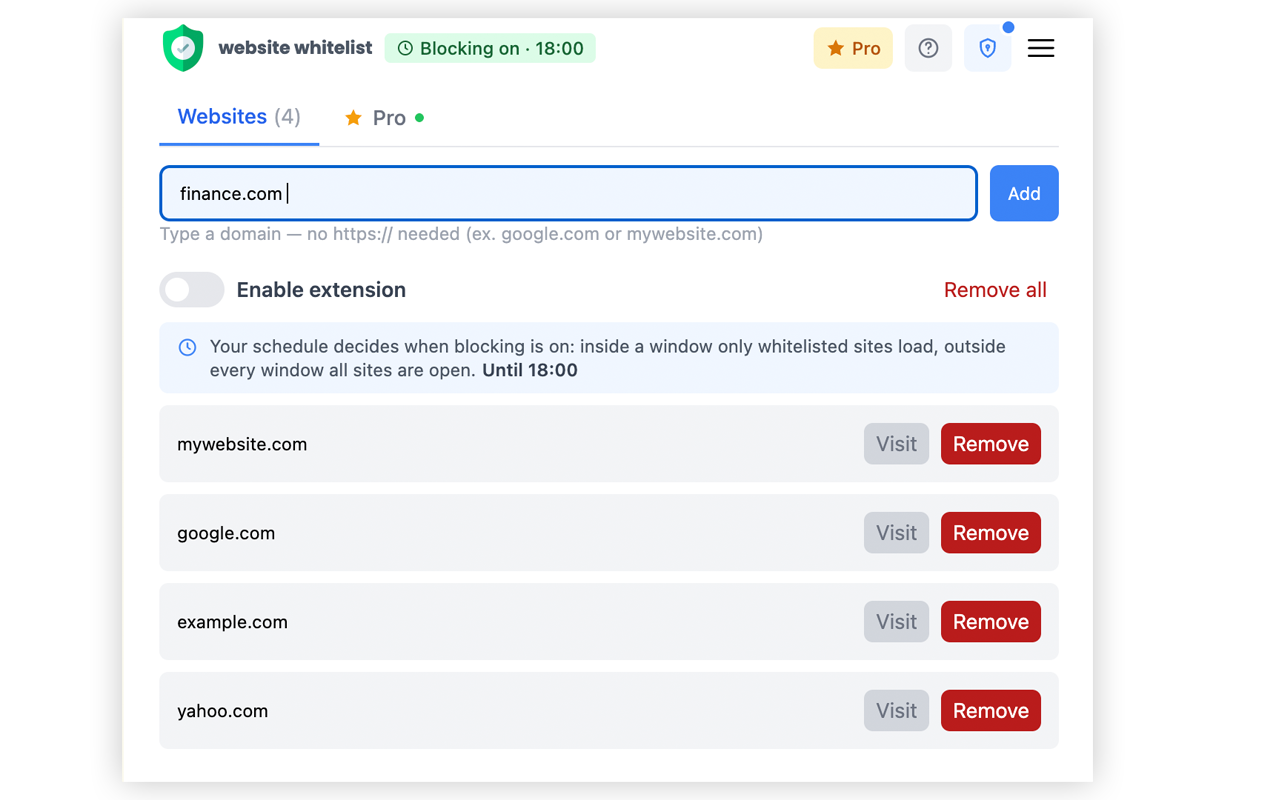
Whitelist in one click
Approve an exact address or an entire domain right from the popup. No config files, no dashboards.
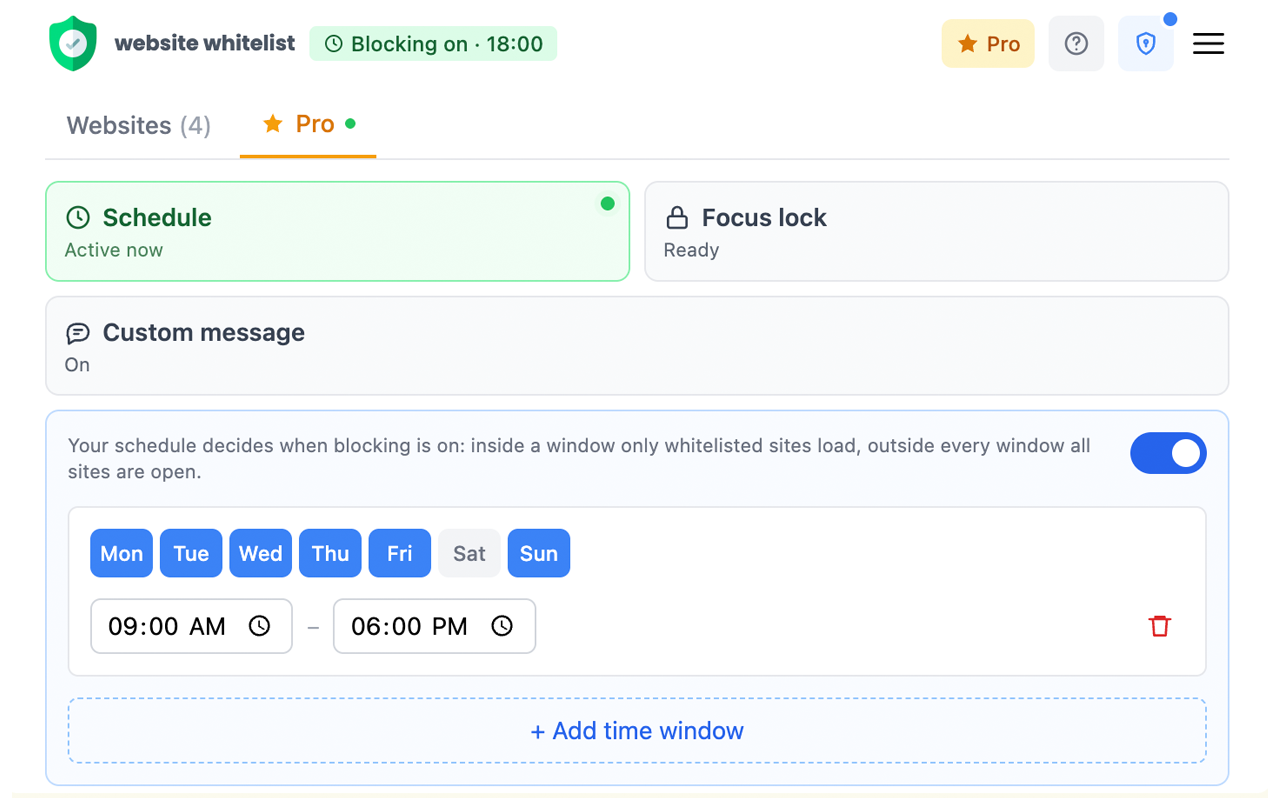
Schedules
Blocking turns on and off automatically by day and time — school hours, work hours, or bedtime.
Focus Lock
Start a focus session and blocking stays on until it ends. No toggling off early when willpower runs out.
Custom blocked page
Write your own title and message for the page people see when a site isn’t on the list.
Password protection
Lock your settings behind a password so only you can add, remove, or turn off the whitelist.
Private by design
Everything runs locally in your browser. Your browsing history is never logged or sent anywhere.
ONLY
ALLOWED
WEBSITES
- Whitelist sitesApprove exact addresses or whole domains — everything else stays blocked.
- SchedulesBlocking turns on and off automatically by day and time.
- Focus lockLocks blocking on for a session so it can’t be switched off early.
- PasswordProtects your settings so only you can change the list.
How it works
Three steps to a distraction-free browser
Add the extension
Install Website Whitelist from the Chrome Web Store in a few seconds — it’s free.
Approve the sites you trust
Type a domain or exact address and add it to your list. No limit on how many.
Turn blocking on
Everything else is blocked automatically. Flip it off any time you need to.
Free & Pro
Start free. Upgrade when you need more control
No ads, no data selling — ever. Cancel your Pro subscription any time, right from the extension.
Free
- Unlimited whitelisted sites
- Instant on/off toggle
- Password-protected settings
- Custom blocked-page redirect
Pro
- Automatic schedules by day and time
- Focus Lock for uninterruptible sessions
- Custom blocked-page title and message
- Priority support
FAQ
Common questions
Is Website Whitelist free?+
Yes. Whitelisting sites, turning blocking on/off, and password-protecting your settings are all free. Schedules, Focus Lock, and a custom blocked-page message are part of the optional Pro upgrade.
Does it slow down my browsing?+
No. Rules are matched by Chrome itself before a page loads, using the same declarativeNetRequest engine Chrome ad blockers use — there’s no proxy and no added latency.
Can it see or store my browsing history?+
No. The hostname of each page is checked against your whitelist entirely on your device. Nothing is logged, and no browsing data is ever sent to us.
How is a whitelist different from a blocklist?+
A blocklist blocks specific sites and allows everything else — easy to work around. A whitelist blocks everything by default and only allows the sites you’ve explicitly approved, which is far stricter and better suited to parental control.
Can I use this for my kids?+
Yes — that’s one of its main use cases. Set a password so only you can change the list, optionally add a schedule for school or bedtime hours, and only the sites you approve will load.
Take control of your browsing today
Join 4,000+ users who’ve made their browser safer and more focused with Website Whitelist.
Add to Chrome — It’s Free